
The unassuming little box in the corner of the house usually doesn’t get a whole lot of attention. As long as the lights keep blinking and your devices still have service, you probably don’t give it a second thought. It’s not until the video call freezes, the movie stops to buffer, or the game crashes out that everyone takes notice. “Hey, is the Wi-Fi down?” Groans and grumbles ensue, as it always seems to happen at the worst possible time.
While the box is easy to forget (as long as it’s working), the router does a lot of work every second. But what does it actually do?
In short, a Wi-Fi router takes the Internet connection coming into your home and shares it with your devices, creating a home network. It ensures the data is sent to the right place. And most importantly, it adds a layer of security between your devices and the wider (and sometimes wilder) internet.
What Is a Router?
You can think of a router as the traffic director of your home network. Internet data comes into your home, and the router directs it to the appropriate place: be that your laptop, phone, or smart TV. It even figures out what to send to the TV in the living room vs. the family room if more than one TV is streaming.
It also sends requests from those devices back out to the internet.
A Wi-Fi router has a built-in wireless radio, so your devices can connect without trip-prone cables and cords. These days, just about every home in North America has a Wi-Fi router to direct internet traffic.
Another term that’s tossed around is wireless gateway. This device combines a modem and router in a single unit. Often, when you sign up for internet service, your internet provider hands you a wireless gateway so only one device is needed to get you connected.
The difference between a modem and a router is that the modem brings the internet into your home while the router directs it throughout your home.
Why Do You Need a Router?
Technically, you can go online without a router. All you need to do is plug your computer straight into your modem. Boom, you have internet. Unfortunately, that means you can only connect that single plugged-in device, and you have to deal with the cable. If you’re sitting right next to it, that’s not an issue. But if you want to do so from another room, a cable has to be strung between the two. That was the norm when the internet was young. But most of us would find this highly inconvenient today.
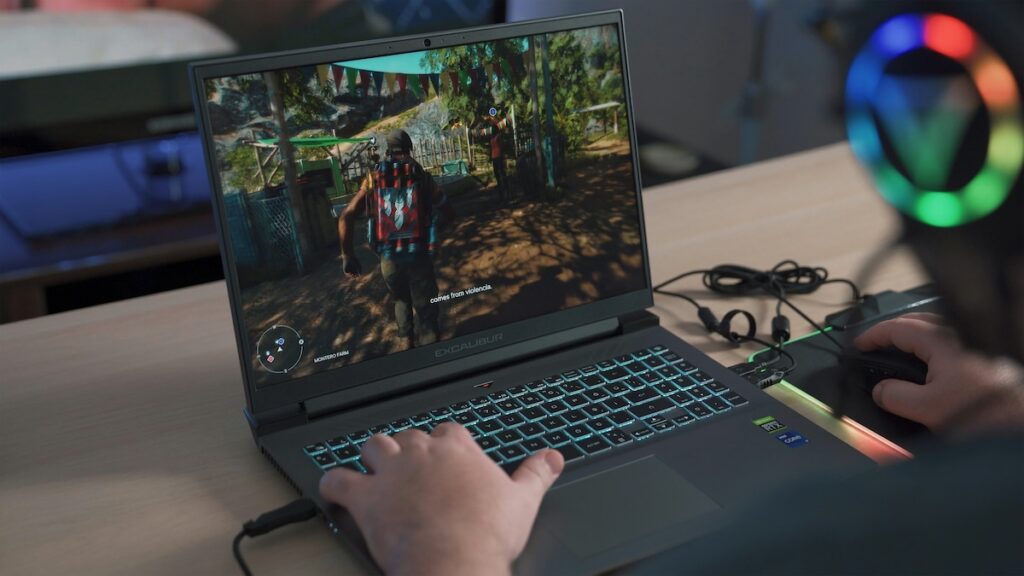
After all, the average home doesn’t just have one large desktop computer set up in the corner by the router. Most of us have several devices that connect at the same time—from phones to laptops to tablets to streaming sticks (or smart TVs) to gaming consoles to smart speakers to thermostats. Heck, even the doorbell and security system connect to the same router. The humble little box is what allows all of those devices to share a single connection without interfering with each other.
To put it more simply, the modem brings the internet into your home, and the router creates the network. Without the router, you may have internet, but there’s no Wi-Fi, which means you can’t connect from the living room, back bedroom, and home office at the same time. The router allows the whole house to get and stay connected.
How Does a Router Work?
Everything you do online—from sending an email to streaming a movie to battling your friends in a multiplayer epic—travels in small chunks of data called packets. Your router’s main job is to make sure each packet arrives in the correct place.
To do so, the router gives every device on your network its own local address (IP address). So, when you hit play on your phone or start your game, your router sees the request and sends it out to the internet. It then routes the response back to your phone or computer rather than your partner’s laptop or your neighbor’s TV.
What’s amazing is that your internet provider gives your home just one IP address. Through a process called NAT (network address translation), your router then routes the correct data to the correct device on that one IP address.
Wi-Fi routers send this data over radio frequencies (or bands). The 2.4 GHz band reaches farther and passes through walls better. The 5 GHz and 6 GHz bands on newer Wi-Fi 6E and Wi-Fi 7 routers are even faster, but they cover less ground. This explains why the signal fades the farther your device is from the router.
Your Router Works with Every Type of Internet
No matter how the internet gets to your home, a router is what shares it once it gets there. What changes is the equipment it connects to. Here’s a quick rundown:
- Fiber: Data travels as light through glass strands. An optical network terminal (ONT) then converts it for your router.
- Cable: Internet arrives over the same coaxial line used for cable TV, and a cable modem passes it to your router.
- DSL: Once considered the gold standard, this older technology runs over copper phone lines and connects through a DSL modem.
- 5G home internet: Your provider usually supplies a wireless gateway that picks up a cellular signal and works as both modem and router.
- Satellite: A dish on your roof (or a high point on your property) communicates with satellites overhead and connects to a router inside.
The Benefits of a Router (Some May Surprise You)
Routers are known for delivering Wi-Fi. Yay! But they actually do a lot more than that in the background, including:
- Working even when the internet is down. Your home network runs separately from your internet connection. So, if your provider has an outage, you can likely still print to a wireless printer or shift files between devices.
- Acting as a security guard. Most routers come with a built-in firewall. NAT hides your devices from the outside world, which makes it harder for strangers to reach them directly.
- Giving guests their own network. A guest network lets visitors (or the bargain smart plug) get online without accessing your main devices.
- Enforcing bedtime: Many routers have parental controls that pause Wi-Fi on the kid’s devices at set times. You don’t need to be a kid to benefit. For better sleep, many adults take advantage of these features to protect their sleep time too.
- Playing favorites: With the QoS (quality of service) feature, you can prioritize your video calls over someone else’s game download or movie streaming—so you stay connected when it’s essential, such as during the workday.
- Protecting every device at once. Some routers support a VPN that covers your entire network to keep everyone safer.
What Does a Wi-Fi Router Do Takeaways
The little box with the flashing lights doesn’t need much attention—it continues working hard in the background to keep your connected home running smoothly 24/7. It shares your internet, directs traffic, and helps keep all of your devices safe. Yet a router can only do as much as your internet plan allows. Run a quick speed test to see what you’re getting, or compare internet providers in your area to get the best deal.